Hello,
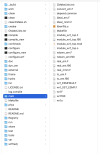
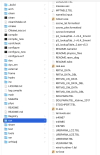
I carefully followed this guide on installing the latest version of WRF and WPS on GNU architecture. The WRF compilation seems to have gone okay. Only issue is that my exe files are created on the run folder and not on the main. And my exe files are all copies, and I can't find the original files. I am attaching my log.compile and configure.wrf files. I have already used the ./clean -a command and retried compiling but to no success. Any guidance will be appreciated.
Thanks!
--------------------------------------------------------------
version:
wrf 4.6.7 wps 4.6.0 gcc 12
mac air m1 arm64 homebrew
Solved: At first, I found that git could not connect, but I didn't care. I downloaded WRF directly from github. Later, I reset the git interface and was able to connect. The installation was also completed.
I carefully followed this guide on installing the latest version of WRF and WPS on GNU architecture. The WRF compilation seems to have gone okay. Only issue is that my exe files are created on the run folder and not on the main. And my exe files are all copies, and I can't find the original files. I am attaching my log.compile and configure.wrf files. I have already used the ./clean -a command and retried compiling but to no success. Any guidance will be appreciated.
Thanks!
--------------------------------------------------------------
version:
wrf 4.6.7 wps 4.6.0 gcc 12
mac air m1 arm64 homebrew
Solved: At first, I found that git could not connect, but I didn't care. I downloaded WRF directly from github. Later, I reset the git interface and was able to connect. The installation was also completed.
Attachments

Last edited: